






Matej BesterVerified
Golden Tree Nutrition Ltd
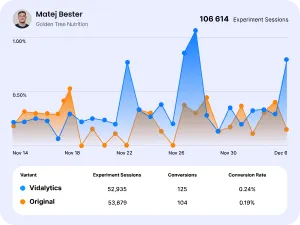
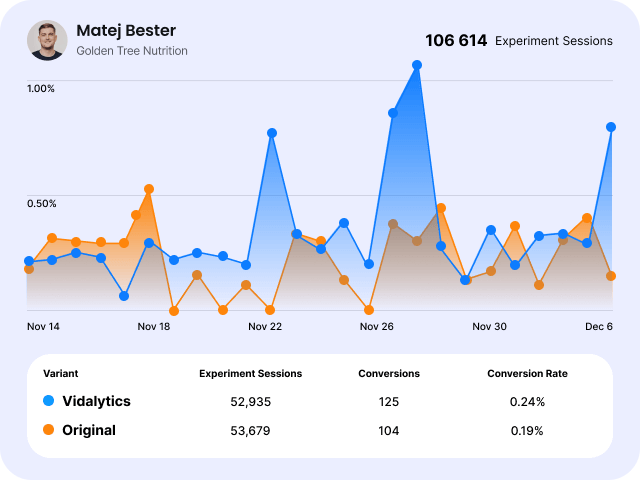
"Good news! We split tested 595,000 sessions with Vimeo, YouTube and Wistia, and they couldn’t beat Vidalytics 🙂"

Pick something on the left — only that one shows here, nothing else to scroll past. Full written guide: src/components/blocks/README.md.
This is the whole process — no files, no folders, nothing technical required:
Every block has its colors and sizes built to be edited in one shot — you never need to describe where in the code something is, just say what should change:
astro/src/pages/ (e.g. astro/src/pages/features.astro).--- lines: import ImageTextBlock from '../components/blocks/ImageTextBlock.astro';title="..." / text="..." — edit the words in the quotes directly.astro/public/images/, then set image="/images/your-file-name.png" — or set image to any external URL directly.videoId="..." instead of image (where supported).astro/src/components/blocks/ and look for the EASY EDITS comment at the top of its <style> block — every block has one, with a named variable (and a comment explaining it) for text color, background color, title size, body text size, card size, image size, and icon size. Change the value, nothing else needs to move.npm run dev and check the page in the browser.Full written version of all of this: astro/src/components/blocks/README.md. Registry of every block that exists: astro/src/components/BLOCKS.md. The team-wide rule for when to save something as a block:docs/WEBSITE-SOP.md.
The real Vidalytics color and type tokens — pass a swatch's class-suffix to any block's cardColor/bgColor prop (e.g.cardColor="purple-6"), or a text-color-* class directly in your own markup.
text-color-white explícito — nunca queda "gratis" solo por estar sobre un fondo negro. El color de marca principal es pink-4(#fd3c99, para botones y acentos) y blue-4(#3859ff, para links y highlights).Texto grande (text-size-large) — para citas o intros.
Texto medio (text-size-medium) — el párrafo estándar de los bloques.
Texto secundario (text-color-neutral-4) — para subtítulos o texto de apoyo.
A statement, one big feature, quick benefits, a video tour, then the CTA.
Blocks, in order: TextBanner → ImageTextBlock (top) → IconTextRow → VideoCarousel → CtaBanner
astro/src/pages/features.astro(o pedile a Claude que lo haga), pegá el código de abajo, corré npm run devy probala en localhost:4321/features.Track exactly where your viewers drop off or convert.

Generate more sales, revenue, and conversions

Turn people about to leave into leads

Track how the messaging in your videos performs.
---
import Base from '../layouts/Base.astro';
import TextBanner from '../components/blocks/TextBanner.astro';
import ImageTextBlock from '../components/blocks/ImageTextBlock.astro';
import IconTextRow from '../components/blocks/IconTextRow.astro';
import VideoCarousel from '../components/blocks/VideoCarousel.astro';
import CtaBanner from '../components/CtaBanner.astro';
---
<Base bare title="..." description="...">
  <TextBanner text="Everything you need to turn viewers into buyers." />
  <ImageTextBlock layout="top" videoId="abc123XYZ" title="See it in action" text="..." />
  <IconTextRow items={[{ icon: '...', text: '...' }]} />
  <VideoCarousel heading="Explore every feature" items={[{ title: '...', text: '...', videoId: '...' }]} />
  <CtaBanner />
</Base>Mirrors the real /compare pages — a statement, two feature rows, the comparison grid, support, then the CTA.
Blocks, in order: TextBanner → ImageTextBlock (left) → ImageTextBlock (right) → CompareCardsGrid → OnboardingSupport → CtaBanner
astro/src/pages/alternative-page.astro(o pedile a Claude que lo haga), pegá el código de abajo, corré npm run devy probala en localhost:4321/alternative-page.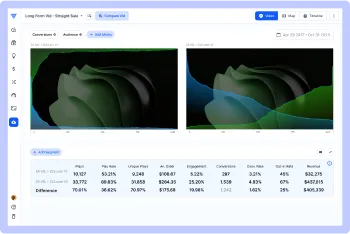
See the exact second viewers lose interest, get bored, or convert.
Split test messaging changes and see which version actually converts better.
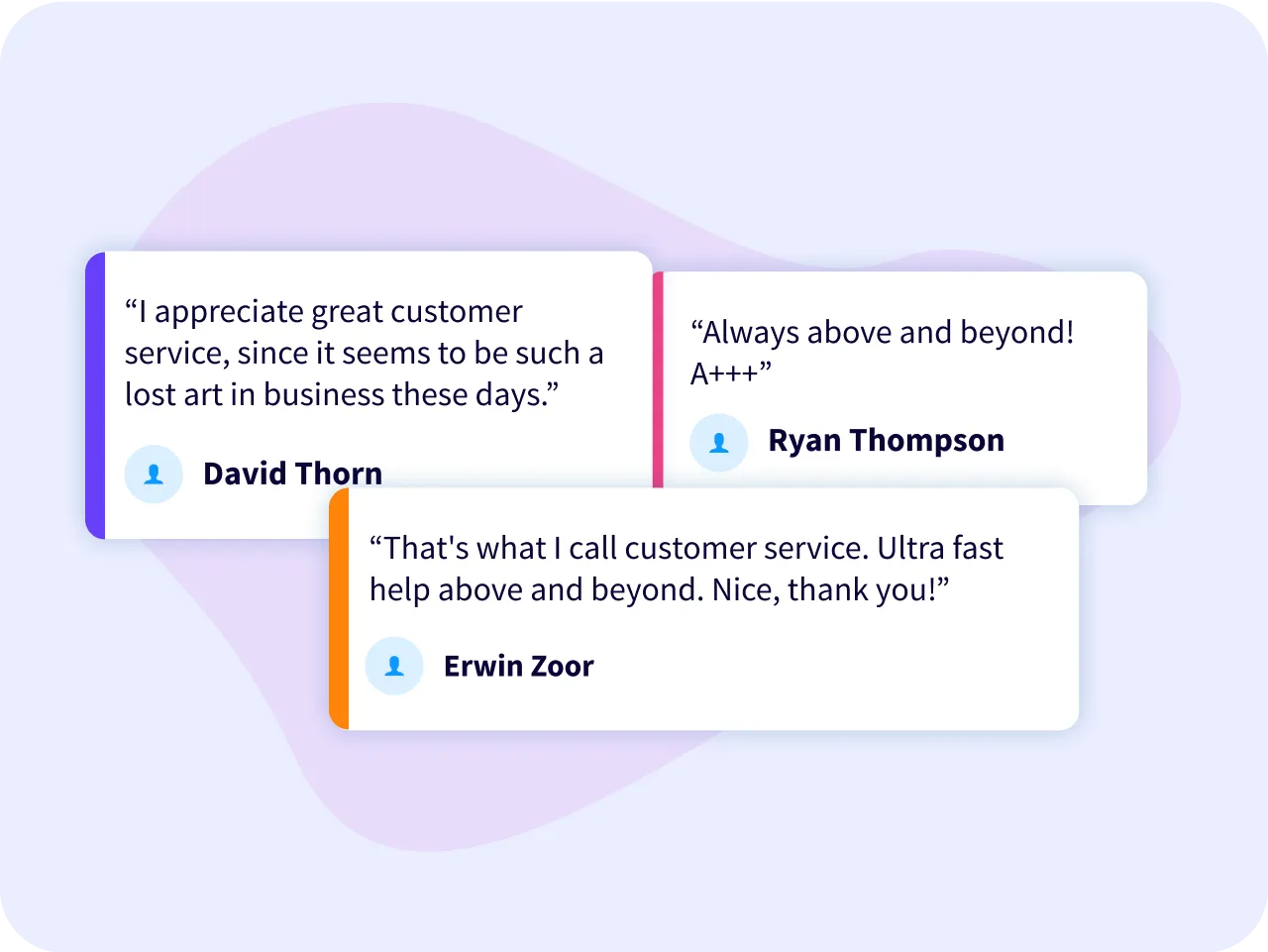
Each One of Vidalytics’ support staff is extensively trained in video & digital marketing. Which means you’re not going to “get the runaround.” Nor will you have to explain what a funnel or VSL (video sales letter) is.
We’ve literally been there, done that and are here to help you do the same.
---
import Base from '../layouts/Base.astro';
import TextBanner from '../components/blocks/TextBanner.astro';
import ImageTextBlock from '../components/blocks/ImageTextBlock.astro';
import CompareCardsGrid from '../components/compare/CompareCardsGrid.astro';
import OnboardingSupport from '../components/compare/OnboardingSupport.astro';
import CtaBanner from '../components/CtaBanner.astro';
---
<Base bare title="..." description="...">
  <TextBanner text="Why marketers switch to Vidalytics." />
  <ImageTextBlock layout="left" image="..." title="..." text="..." />
  <ImageTextBlock layout="right" image="..." title="..." text="..." />
  <CompareCardsGrid currentSlug="wistia" />
  <OnboardingSupport />
  <CtaBanner />
</Base>Video-forward — good for showcasing several features/videos in a row without a wall of text.
Blocks, in order: TextBanner → TabbedShowcase → VideoCarousel → IconTextRow → CtaBanner
astro/src/pages/video-tour.astro(o pedile a Claude que lo haga), pegá el código de abajo, corré npm run devy probala en localhost:4321/video-tour.Track exactly where your viewers drop off or convert.
Muted automatic playback that never spooks the browser.
Compare your performance against real industry data.
Get more people to keep watching your video
---
import Base from '../layouts/Base.astro';
import TextBanner from '../components/blocks/TextBanner.astro';
import TabbedShowcase from '../components/blocks/TabbedShowcase.astro';
import VideoCarousel from '../components/blocks/VideoCarousel.astro';
import IconTextRow from '../components/blocks/IconTextRow.astro';
import CtaBanner from '../components/CtaBanner.astro';
---
<Base bare title="..." description="...">
  <TextBanner text="One player. Every feature you need to convert viewers." />
  <TabbedShowcase heading="Everything you can do" tabs={[{ label: '...', title: '...', text: '...', videoId: '...' }]} />
  <VideoCarousel heading="See it all in action" items={[{ title: '...', text: '...', videoId: '...' }]} />
  <IconTextRow items={[{ icon: '...', text: '...' }]} />
  <CtaBanner />
</Base>Follows the REAL homepage's actual section order (vidalytics.com, view-source): flat-blue hero with the product video, logo wall, purple "about" card, single testimonial spotlight, a feature grid, then the CTA — not a made-up layout.
Blocks, in order: ImageTextBlock (blue hero, video) → LogoGrid → ImageTextBlock (purple, about) → TestimonialSpotlight → FeatureCardGrid → CtaBanner
astro/src/pages/homepage-style.astro(o pedile a Claude que lo haga), pegá el código de abajo, corré npm run devy probala en localhost:4321/homepage-style.




















































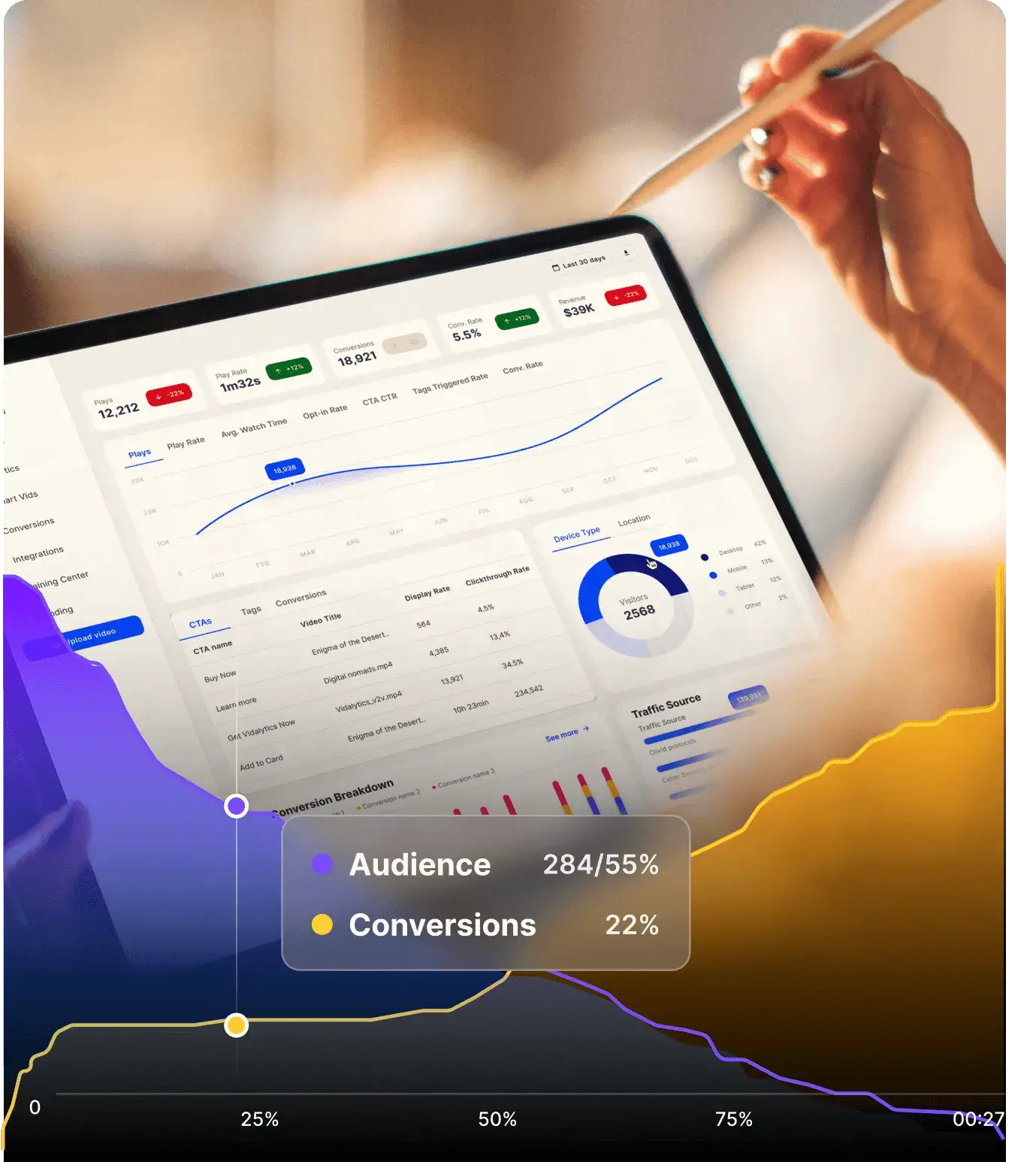
Vidalytics hosts and plays videos on your website. But it's for marketers who want to know exactly which point of their video is costing them conversions.
Frank Kern Recommends Vidalytics For Video Hosting
“There's a video hosting service called Vidalytics. That thing's really cool! When a viewer hits X minutes, it'll tag them, and then you can use Zapier to send that data to your CRM.”

Works natively with Vidalytics features for the ultimate video marketing toolkit.

Tag your CRM based on the answers each viewer chooses.
Put your viewers in the driver seat — so they sell themselves.

Countdown timers, clickable areas, custom colors, and more.
---
import Base from '../layouts/Base.astro';
import ImageTextBlock from '../components/blocks/ImageTextBlock.astro';
import LogoGrid from '../components/LogoGrid.astro';
import TestimonialSpotlight from '../components/blocks/TestimonialSpotlight.astro';
import FeatureCardGrid from '../components/blocks/FeatureCardGrid.astro';
import CtaBanner from '../components/CtaBanner.astro';
---
<Base bare title="..." description="...">
  <ImageTextBlock layout="right" cardColor="blue" videoId="..." title="..." cta={{ label: '...', href: '...' }} />
  <LogoGrid />
  <ImageTextBlock layout="left" cardColor="purple-6" image="..." title="..." text="..." />
  <TestimonialSpotlight avatar="..." name="..." role="..." quote="..." />
  <FeatureCardGrid columns={2} items={[{ icon: '...', title: '...', text: '...' }]} />
  <CtaBanner />
</Base>Numbered steps in a slider, an industry-examples grid, a full-bleed banner, then the CTA.
Blocks, in order: StepsSlider → FeatureCardGrid → FullBleedBanner → CtaBanner
astro/src/pages/agency-partners.astro(o pedile a Claude que lo haga), pegá el código de abajo, corré npm run devy probala en localhost:4321/agency-partners.
Qualify leads instantly by asking who they are, what they need, before the first call.
Route each viewer to the right program or offer.
---
import Base from '../layouts/Base.astro';
import StepsSlider from '../components/blocks/StepsSlider.astro';
import FeatureCardGrid from '../components/blocks/FeatureCardGrid.astro';
import FullBleedBanner from '../components/blocks/FullBleedBanner.astro';
import CtaBanner from '../components/CtaBanner.astro';
---
<Base bare title="..." description="...">
  <StepsSlider heading="..." steps={[{ stepLabel: 'Step 1', title: '...', text: '...', image: '...' }]} />
  <FeatureCardGrid heading="..." cardColor="purple-6" items={[{ icon: '...', title: '...', text: '...' }]} />
  <FullBleedBanner backgroundImage="..." heading="..." text="..." cta={{ label: '...', href: '...' }} />
  <CtaBanner />
</Base>
Used in: · ·
Image on top, title + text centered below.
<ImageTextBlock
  layout="top"
  image="/images/home-img-feature-solo-1.png"
  title="Muted autoplay that never spooks the browser"
  text="Smart Autoplay activates the video the moment it's visible."
  cta={{ label: 'See the case study', href: '/case-studies' }}
/>Smart Autoplay activates the video the moment it's visible.
Image on the left, title + text on the right.
<ImageTextBlock
  layout="left"
  image="/images/home-img-feature-solo-1.png"
  title="Image left / text right"
  text="is-reversed puts the image first in the grid."
/>is-reversed puts the image first in the grid — same classes the homepage already uses.
Same block, image and text swapped — the mirror of "left".
<ImageTextBlock layout="right" image="..." title="..." text="..." />One prop change flips the block above.
For when the text side needs a title, a main paragraph, AND extra detail below it — just a prop, no JSX children needed.
<ImageTextBlock
  layout="left"
  image="/images/analytics_step2_1.webp"
  title="Know what messaging changes to make"
  text="Track how the messaging in your videos performs, so you can split test it."
  additionalText="You'll be able to: pinpoint the exact second viewers drop off, identify spots to tweak, and compare two videos side by side."
/>Track how the messaging in your videos performs, so you can split test it.
We're a video host — the media side is just as often a video as a photo. PassvideoId instead of image and it embeds a real Vidalytics player in the same slot (a plain animated .gif also works fine as `image`, no special handling needed).
<ImageTextBlock
  layout="right"
  videoId="8h_aeq51YbFiNfN7"
  title="See it in action"
  text="A real embedded video, in the same slot a photo or gif would go."
/>A real embedded video, in the same slot a photo or gif would go.
Not a separate component — two blocks in a 2-column CSS grid.
<div style="display:grid;grid-template-columns:1fr 1fr;gap:2rem">
  <ImageTextBlock layout="top" image="..." title="..." text="..." />
  <ImageTextBlock layout="top" image="..." title="..." text="..." />
</div>See the exact second viewers lose interest, get bored, or convert.
Split test messaging changes and see which version actually converts better.
Used in: ·
A row of 3-4 cards, each an icon + one short bold line.
<IconTextRow
  items={[
    { icon: '/images/cart-purple.svg', text: 'Generate more sales' },
    { icon: '/images/click-purple.svg', text: 'Turn visitors into leads' },
  ]}
/>
Get more people to keep watching your video
Generate more sales, revenue, and conversions
Turn people about to leave into leads
Used in: · ·
A large centered statement, no image — a rhythm-breaker between heavier sections.
<TextBanner text="A statement to break up the page." />Same block, on a colored card, with one phrase highlighted in a different color.
<TextBanner
  bgColor="yellow-9"
  text="Your clients will love you because you can do what only mortals dream of."
  highlight="what only mortals dream of"
  highlightColor="yellow-4"
/>Used in: ·
The site's standard feature-tour: single-slide fade autoplay + numbered progress-ring pagination (matches /analytics, /exit-features, etc. — not a drag carousel).
<VideoCarousel
  heading="Introducing: ..."
  items={[
    { icon: '/images/analytics-purple.svg', title: '...', text: '...', videoId: 'abc123XYZ' },
  ]}
/>Get data insights for your videos that simply aren't available anywhere else:
Track how the messaging in your different videos performs, so you can split test and optimize conversions over time.
Segment views and conversions by location, view count, device type, traffic source, and more.
Compare your performance against real industry data across 179K+ videos hosted on Vidalytics.
Used in:
Icon+label tab menu; clicking swaps the panel below (title + text + image or video).
<TabbedShowcase
  heading="Everything you can do"
  tabs={[
    { label: 'Analytics', title: '...', text: '...', videoId: 'abc123XYZ' },
    { label: 'Autoplay', title: '...', text: '...', image: '/images/x.png' },
  ]}
/>Track exactly where your viewers drop off or convert.
Muted automatic playback that never spooks the browser.
Flat-color hero (heading + text + CTA, centered) with the site's real decorative graphic overlay — matches .section_hero /.hero_container.background-color-blue exactly (see "Smart Autoplay: The Industry's Hidden Secret..." on the real site). Use this instead of FullBleedBanner when you don't have a real photo — a flat brand color reads more intentional than a random image.
<HeroBanner
  heading="Smart Autoplay: The Industry's Hidden Secret for Hooking Your Audience"
  text="No one had this... so we had to build it ourselves."
  cta={{ label: 'Start Your Free Trial', href: '/pricing' }}
/>
Not used in a template yet — drop it into any page that needs a vertical feature tab list.
Vertical list of icon+title+description tabs — the active one is highlighted and its description shows; the panel on the right swaps. Matches the real .tab_v1-tabs pattern (powered-by.html, features.html) — same .w-tabs engine, no custom JS.
<FeatureListTabs
  heading="Everything you can do"
  items={[
    { icon: '/images/x.svg', label: 'Smart Autoplay', description: '...', image: '/images/x.png' },
    { icon: '/images/y.svg', label: 'Calls To Action', description: '...', videoId: 'abc123XYZ' },
  ]}
/>Used in: ·
Grid of icon+title+paragraph cards, richer than IconTextRow's single bold line. Matches the real .usecase1-grid (ai-suite.html), optional colored background card.
<FeatureCardGrid
  heading="How Marketers Across Industries Use Vidalytics"
  cardColor="purple-6"
  columns={2}
  items={[
    { icon: '/images/x.svg', title: 'Agencies & Service Businesses', text: '...' },
    { icon: '/images/y.svg', title: 'Courses & Coaching', text: '...' },
  ]}
/>Qualify leads instantly by asking who they are, what they need, and where they’re stuck — all before the first call.
“Find your perfect path” quiz routes each viewer to the right program or offer.
Used in:
One big testimonial card — avatar+name+role+quote — not a grid, not a swiper. Matches the real .testimonial2-component (index.html's "Frank Kern Recommends Vidalytics" section).
<TestimonialSpotlight
  avatar="/images/x.jpg"
  name="Frank Kern"
  role="Founder CEO, Frank Kern Inc"
  heading="Frank Kern Recommends Vidalytics For Video Hosting"
  quote="There's a video hosting service called Vidalytics..."
/>
Frank Kern Recommends Vidalytics For Video Hosting
“There's a video hosting service called Vidalytics. That thing's really cool! When a viewer hits X minutes, it'll tag them, and then you can use Zapier to send that data to your CRM.”
Used in:
Full-bleed background image with heading+text+CTA overlaid. Matches the real .section_box (index.html's "See How Vidalytics Stacks Up" section).
<FullBleedBanner
  backgroundImage="/images/x.webp"
  heading="See How Vidalytics Stacks Up Against Other Video Players"
  text="..."
  cta={{ label: 'View Competitor Comparisons', href: '/compare' }}
/>Used in:
Numbered step cards (icon+"Step N"+title+text+image) in a slider with dot pagination. Matches the real .step-wrapper/agency-sliderpattern (agency.html) — uses Webflow's native .w-slider, already handled generically by wf-lite.js (autoplay, dots, swipe), no custom JS.
<StepsSlider
  heading="Grow Your Agency in 3 Steps"
  steps={[
    { icon: '/images/x.svg', stepLabel: 'Step 1', title: '...', text: '...', image: '/images/x.webp' },
  ]}
/>N cards in a row with an arrow between each. No exact match foundin the migrated site snapshot — built as a new generic block, not copied from a real section (confirmed with you).
<HowItWorksFlow
  heading="Here's How it Works"
  steps={[
    { title: 'Start with a video that hooks attention.', text: '...' },
    { title: 'Ask. React. Adapt.', text: '...' },
    { title: 'Deliver a tailored offer — instantly.', text: '...' },
  ]}
/>Use a short intro clip to set the stage, then drop your first question right on top of the video.
Add as many questions as you want — each choice can lead to a different path or funnel into the same one.
When viewers finish, they see a personalized result or offer based on their answers.
Used in: · ·
The pink/black closing "Get started free" banner repeated on almost every page.
<CtaBanner
  heading="Increase Your Conversions Now By Simply Swapping Out Your Video Player"
  buttonText="Get Your Free Account"
  buttonHref="/pricing"
/>Same idea as CtaBanner, but sized to sit inside the white content card on /trainings/[slug].
<TrainingCtaBanner heading="Ready to put this into practice?" />Row-grouped client-logo wall. No props — reads data/logos.ts directly.
<LogoGrid />Masonry-style testimonials grid (reads data/testimonials.ts). Used on /testimonials.
<TestimonialsGrid heading="Vidalytics Helps Video Marketers Increase Their Video Conversions" />"Good news! We split tested 595,000 sessions with Vimeo, YouTube and Wistia, and they couldn’t beat Vidalytics 🙂"

I found Vidalytics' URL Tracking and was able to optimize my video to 29% engagement
"Optimizing VSLs is fucking hard. Vidalytics allows you to track engagement of your videos by UTM parameters! I found this feature and saw more than a 5X engagement boost with the same video, just a different ad angle (3.6% vs. 17.34%). This is a game changer. It allows us to optimize our funnel so much more effectively now that we can see exactly which ad angles are driving the highest intent. This is pretty sweet!"
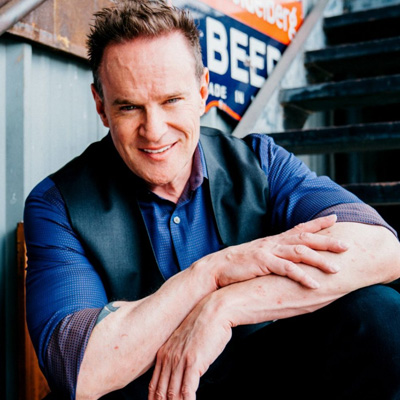
"You should definitely use Vidalytics for video hosting. When I switched over, their Smart Autoplay increased my conversions by 30%. This is why I use Vidalytics for all of my Video Sales Letters"

Frank Kern Recommends Using Vidalytics For Video Hosting
“There’s a video hosting service called Vidalytics. That thing’s really cool! When a viewer hits X minutes [watch time in your video], it’ll tag them in Vidalytics, and then you can use Zapier to send that tag data over to your email system, or CRM.”

Vidalytics is Always #1
"Been in the space 12 years, my videos have generated over $700M. Every time somebody asks me, “Hey… video hosting, who do you recommend?” Vidalytics is always number one. There’s no one else, doesn’t matter. Just make the investment, you deserve it, your business deserves it."
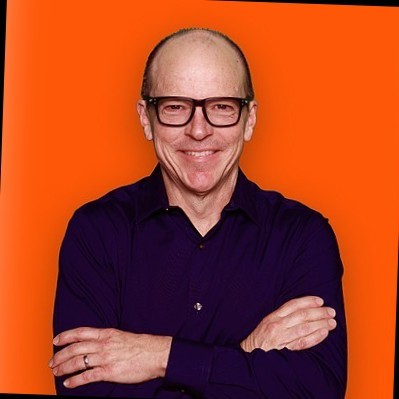
The reporting and data tools are exactly what we need in direct response.
"Vidalytics has been our go-to for video hosting. I've been an entrepreneur my entire life, with an MBA and ten years in digital marketing. We've been with Vidalytics for four years, and they’ve been awesome. The tech is solid, hosting is reliable, and the videos load fast.The reporting and data tools are exactly what we need in direct response. Their support is great, especially with interactive videos, which we've been using for three years. Vidalytics is always on top of the latest tech and actually implements feedback. We’ve tried other platforms, but Vidalytics has been by far the best."

"Vidalytics’ Smart Autoplay bumped my conversion rate by 49%. I’m never leaving Vidalytics!"

Best Video Hosting for Our Industry, Hands Down
"I love Vidalytics. Better pricing than Wistia, with WAY better analytics. The autoplay that restarts when unmuted pays for itself in increased conversions each month for us. Best video hosting for our industry, hands down!'

“Over the last 20 years, I’ve used ALL of the other video platforms — JW Player, Flowplayer, Vimeo, Wistia, Youtube and nothing compares to the power and insights that Vidalytics gives you. It is hands down the best.”

We Love Vidalytics (we switched after Wistia shut us off without warning)
"I love that Vidalytics was built by marketers for marketers... Our conversions are up because of smart-autoplay, faster load times, start-from-where-you-left-off for returning visitors etc... Plus they moved all of our videos over from our backup, which was great. More conversions, lower costs, great customer service."

Great for Marketers Who Want VSLs to Convert Better
"Vidalytics gives you deeper analytics around engagement and where viewers convert. This is super useful if you're like me and want to split test everything. Other video solutions don't give the insights needed to optimize for conversion. The biggest difference was the Smart Autoplay. Vidalytics stands out with its comprehensive analytics and conversion-boosting features, making it an indispensable tool for anyone serious about video marketing."

“Vidalytics seems like a great program so far. I have already recommended it to a few people I know that were using Vimeo and had issues like I did.”
A+ Video Hosting Platform That'll Make You Money
"They have the best analytics for marketing videos -- period. And a ton of unique features like Smart Autoplay and Countdown timers.They also have features that save someone from bouncing while watching your video, since it works when the video is paused. They're all called 'Exit' features. Like Exit Call to Actions, Exit Play Gates, and Exit Thumbnails. It's awesome."

Go-To Tool For Online Course Creators
"Vidalytics provides so much value at the magical intersection of engagement, conversion, and insight. It's an essential tool in the stack for digital marketers and online course creators."

"One vote here for Vidalytics, their unmuted autoplays increased video plays with the flashing message on top of video while it's playing in the background, then restarts from the beginning when clicked. Genius."

"I produce a TON of video sales letters. Vidalytics is a perfect fit for these businesses using VSLs. So I recommend it to all my clients. Vidalytics just makes sense for any direct response company instead of Wistia or Vimeo."

James Fry - Wistia
"Wistia would never have and could never have put any of this together for me."

"I split tested Vidalytics against Wistia and it destroyed them. Vidalytics works so well I almost didn’t want to tell anyone about it because it is such a competitive advantage."

Top CRO Agency Loves Vidalytics
"We’ve been using Vidalytics for a while and absolutely love it. Its mobile features alone are worth switching. Not to mention it converts better than other players, its analytics are on-point and it’s the fastest video player I’ve tested. I highly recommend them for your marketing videos."

The Best Video Player On The Market
"I love how it shows me not just video analytics, but also where people converted in the video. Only video player I've found that really gives me the data I need to optimize for sales. I'm able to see what parts of the video is performing best, where I'm losing people and at what point they are converting."

"I'm transitioning to Vidalytics from Vidyard. Seriously, I've been totally blown away by your product so far, especially considering the price."

Vidalytics Helped Drive £70,000 in Sales
Todd Brown recommended your software in the E5 camp. It's great!The first version of my VSL hosted on Vidalytics did £70,000. I'm relaunching v2 now.

"In the few months since we signed up Vidalytics has been AMAZING. It’s a real game changer. I’ve already edited our webinar replay to reflect the poor drop off at the beginning. I’m not sure how anyone with marketing videos can get by without Vidalytics, it's really that good."
Better Analytics = Better Conversions
We love Vidalytics - the more you measure, the better. It also allows for custom messages with mobile autoplay, AND faster load speeds.

"I can NOT afford to have the videos in my funnel be “black holes” where I don’t know what is happening. Before, it was just a guessing game. Now with Vidalytics, I know exactly where and how my videos are converting. Making it easy to improve their conversions."

"Vidalytics is my secret weapon for troubleshooting VSLs so that I can increase conversions. It’s turned what I thought were duds into high converting videos."
"When you've had a great customer satisfaction experience - you're in. You're part of the family. Support did that. It was a very cool exchange, answered my questions, was super cool about it. You are being well represented here. And as my teacher Ben Settle says, nothing like customer service to create a referral client."

"We are charged in dollars, but earn in Brazilian Reais. The currency affects us a lot. Trust me, I didn't want to pay for Vidalytics. But I just have to. Because it simply works. I've tested it against every other video platform out there, and it's just simply better. We make more money with Vidalytics. Period. That's why we use it in all of our companies."

Best Video Hosting Platform for Conversions!
"I love Vidalytics because of the countless options I can control such as AutoPlay, Countdown Timers, Resume Play and many more. The analytics on the videos are detailed and help my team and I make the right decisions to increase conversions."

"WOW!! Overlaying the conversion on the same graph is the missing piece, that is awesome."
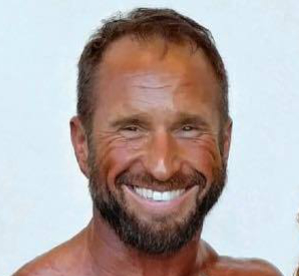
"I absolutely love Vidalytics because I can scale with it. We are a high volume business. We drive a lot of traffic from Facebook and YouTube and we are just getting started. Love the resume play and the delayed CTA button tied to the player position."
"Vidalytics is JUST what I've been looking for in a long long time!!! I'm so excited. Gonna launch a new product next month. Can't wait to see how it converts."
Awesome Tools!
"Great and friendly service. Awesome tools in Vidalytics! Compliments for the way it's designed!"
Horizontal scroll-snap testimonials carousel with dot + arrow controls, for /trainings/[slug]. Takes the testimonials array as a prop (you choose which ones).
import { testimonials } from '../data/testimonials';
<TrainingTestimonials testimonials={testimonials.slice(0, 6)} />"Good news! We split tested 595,000 sessions with Vimeo, YouTube and Wistia, and they couldn’t beat Vidalytics 🙂"
"Optimizing VSLs is fucking hard. Vidalytics allows you to track engagement of your videos by UTM parameters! I found this feature and saw more than a 5X engagement boost with the same video, just a different ad angle (3.6% vs. 17.34%). This is a game changer. It allows us to optimize our funnel so much more effectively now that we can see exactly which ad angles are driving the highest intent. This is pretty sweet!"
"You should definitely use Vidalytics for video hosting. When I switched over, their Smart Autoplay increased my conversions by 30%. This is why I use Vidalytics for all of my Video Sales Letters"
“There’s a video hosting service called Vidalytics. That thing’s really cool! When a viewer hits X minutes [watch time in your video], it’ll tag them in Vidalytics, and then you can use Zapier to send that tag data over to your email system, or CRM.”
"Been in the space 12 years, my videos have generated over $700M. Every time somebody asks me, “Hey… video hosting, who do you recommend?” Vidalytics is always number one. There’s no one else, doesn’t matter. Just make the investment, you deserve it, your business deserves it."
"Vidalytics has been our go-to for video hosting. I've been an entrepreneur my entire life, with an MBA and ten years in digital marketing. We've been with Vidalytics for four years, and they’ve been awesome. The tech is solid, hosting is reliable, and the videos load fast.The reporting and data tools are exactly what we need in direct response. Their support is great, especially with interactive videos, which we've been using for three years. Vidalytics is always on top of the latest tech and actually implements feedback. We’ve tried other platforms, but Vidalytics has been by far the best."
The "Real Users, Real Results" swiper used on /compare, /integrations, /case-studies, /training-center.
<CompareTestimonialsSwiper heading="Real Users, Real Results" />"Good news! We split tested 595,000 sessions with Vimeo, YouTube and Wistia, and they couldn’t beat Vidalytics 🙂"
"Optimizing VSLs is fucking hard. Vidalytics allows you to track engagement of your videos by UTM parameters! I found this feature and saw more than a 5X engagement boost with the same video, just a different ad angle (3.6% vs. 17.34%). This is a game changer. It allows us to optimize our funnel so much more effectively now that we can see exactly which ad angles are driving the highest intent. This is pretty sweet!"
"You should definitely use Vidalytics for video hosting. When I switched over, their Smart Autoplay increased my conversions by 30%. This is why I use Vidalytics for all of my Video Sales Letters"
“There’s a video hosting service called Vidalytics. That thing’s really cool! When a viewer hits X minutes [watch time in your video], it’ll tag them in Vidalytics, and then you can use Zapier to send that tag data over to your email system, or CRM.”
"Been in the space 12 years, my videos have generated over $700M. Every time somebody asks me, “Hey… video hosting, who do you recommend?” Vidalytics is always number one. There’s no one else, doesn’t matter. Just make the investment, you deserve it, your business deserves it."
"Vidalytics has been our go-to for video hosting. I've been an entrepreneur my entire life, with an MBA and ten years in digital marketing. We've been with Vidalytics for four years, and they’ve been awesome. The tech is solid, hosting is reliable, and the videos load fast.The reporting and data tools are exactly what we need in direct response. Their support is great, especially with interactive videos, which we've been using for three years. Vidalytics is always on top of the latest tech and actually implements feedback. We’ve tried other platforms, but Vidalytics has been by far the best."
"Vidalytics’ Smart Autoplay bumped my conversion rate by 49%. I’m never leaving Vidalytics!"
"I love Vidalytics. Better pricing than Wistia, with WAY better analytics. The autoplay that restarts when unmuted pays for itself in increased conversions each month for us. Best video hosting for our industry, hands down!'
“Over the last 20 years, I’ve used ALL of the other video platforms — JW Player, Flowplayer, Vimeo, Wistia, Youtube and nothing compares to the power and insights that Vidalytics gives you. It is hands down the best.”
"I love that Vidalytics was built by marketers for marketers... Our conversions are up because of smart-autoplay, faster load times, start-from-where-you-left-off for returning visitors etc... Plus they moved all of our videos over from our backup, which was great. More conversions, lower costs, great customer service."
"Vidalytics gives you deeper analytics around engagement and where viewers convert. This is super useful if you're like me and want to split test everything. Other video solutions don't give the insights needed to optimize for conversion. The biggest difference was the Smart Autoplay. Vidalytics stands out with its comprehensive analytics and conversion-boosting features, making it an indispensable tool for anyone serious about video marketing."
“Vidalytics seems like a great program so far. I have already recommended it to a few people I know that were using Vimeo and had issues like I did.”
"They have the best analytics for marketing videos -- period. And a ton of unique features like Smart Autoplay and Countdown timers.They also have features that save someone from bouncing while watching your video, since it works when the video is paused. They're all called 'Exit' features. Like Exit Call to Actions, Exit Play Gates, and Exit Thumbnails. It's awesome."
"Vidalytics provides so much value at the magical intersection of engagement, conversion, and insight. It's an essential tool in the stack for digital marketers and online course creators."
"One vote here for Vidalytics, their unmuted autoplays increased video plays with the flashing message on top of video while it's playing in the background, then restarts from the beginning when clicked. Genius."
"I produce a TON of video sales letters. Vidalytics is a perfect fit for these businesses using VSLs. So I recommend it to all my clients. Vidalytics just makes sense for any direct response company instead of Wistia or Vimeo."
"Wistia would never have and could never have put any of this together for me."
"I split tested Vidalytics against Wistia and it destroyed them. Vidalytics works so well I almost didn’t want to tell anyone about it because it is such a competitive advantage."
"We’ve been using Vidalytics for a while and absolutely love it. Its mobile features alone are worth switching. Not to mention it converts better than other players, its analytics are on-point and it’s the fastest video player I’ve tested. I highly recommend them for your marketing videos."
"I love how it shows me not just video analytics, but also where people converted in the video. Only video player I've found that really gives me the data I need to optimize for sales. I'm able to see what parts of the video is performing best, where I'm losing people and at what point they are converting."
"I'm transitioning to Vidalytics from Vidyard. Seriously, I've been totally blown away by your product so far, especially considering the price."
Todd Brown recommended your software in the E5 camp. It's great!The first version of my VSL hosted on Vidalytics did £70,000. I'm relaunching v2 now.
"In the few months since we signed up Vidalytics has been AMAZING. It’s a real game changer. I’ve already edited our webinar replay to reflect the poor drop off at the beginning. I’m not sure how anyone with marketing videos can get by without Vidalytics, it's really that good."
We love Vidalytics - the more you measure, the better. It also allows for custom messages with mobile autoplay, AND faster load speeds.
"I can NOT afford to have the videos in my funnel be “black holes” where I don’t know what is happening. Before, it was just a guessing game. Now with Vidalytics, I know exactly where and how my videos are converting. Making it easy to improve their conversions."
"Vidalytics is my secret weapon for troubleshooting VSLs so that I can increase conversions. It’s turned what I thought were duds into high converting videos."
"When you've had a great customer satisfaction experience - you're in. You're part of the family. Support did that. It was a very cool exchange, answered my questions, was super cool about it. You are being well represented here. And as my teacher Ben Settle says, nothing like customer service to create a referral client."
"We are charged in dollars, but earn in Brazilian Reais. The currency affects us a lot. Trust me, I didn't want to pay for Vidalytics. But I just have to. Because it simply works. I've tested it against every other video platform out there, and it's just simply better. We make more money with Vidalytics. Period. That's why we use it in all of our companies."
"I love Vidalytics because of the countless options I can control such as AutoPlay, Countdown Timers, Resume Play and many more. The analytics on the videos are detailed and help my team and I make the right decisions to increase conversions."
"WOW!! Overlaying the conversion on the same graph is the missing piece, that is awesome."
"I absolutely love Vidalytics because I can scale with it. We are a high volume business. We drive a lot of traffic from Facebook and YouTube and we are just getting started. Love the resume play and the delayed CTA button tied to the player position."
"Vidalytics is JUST what I've been looking for in a long long time!!! I'm so excited. Gonna launch a new product next month. Can't wait to see how it converts."
"Great and friendly service. Awesome tools in Vidalytics! Compliments for the way it's designed!"
Used in:
"Check Out Full Comparisons" 6-card grid, shown on /compare and every /compare/[competitor] page.
<CompareCardsGrid currentSlug="wistia" />Mid-page CTA-with-image block on every /compare/[competitor] page. No props — copy/image are fixed.
<CompareCtaWithImage />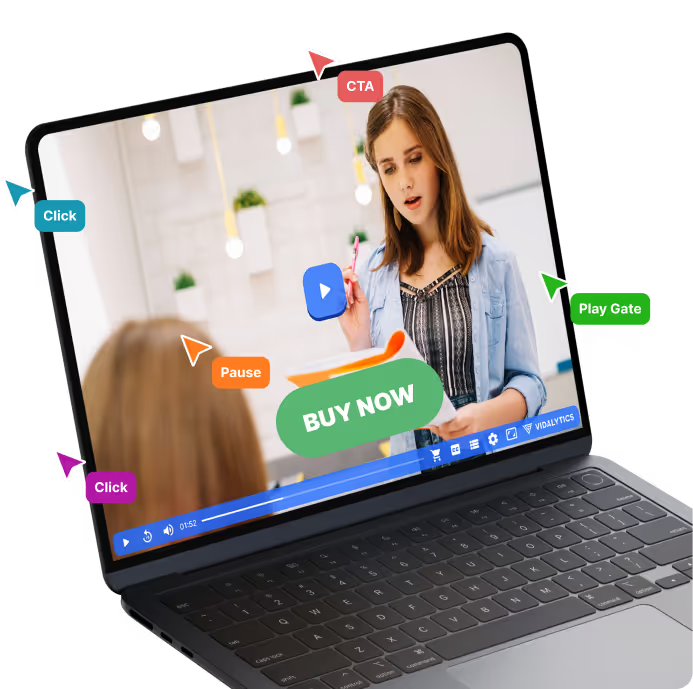
Used in:
"Freaking Awesome Support..." block, identical on /compare and every /compare/[competitor] page. No props.
<OnboardingSupport />Each One of Vidalytics’ support staff is extensively trained in video & digital marketing. Which means you’re not going to “get the runaround.” Nor will you have to explain what a funnel or VSL (video sales letter) is.
We’ve literally been there, done that and are here to help you do the same.